How to use TeraLoads
Short illustrated guides. The yellow frame and 👆 show where to tap.
For machinery owners: how to get jobs
Dump truck, excavator, skid steer or other machinery — jobs near you, no middlemen, no commission.
Step 1
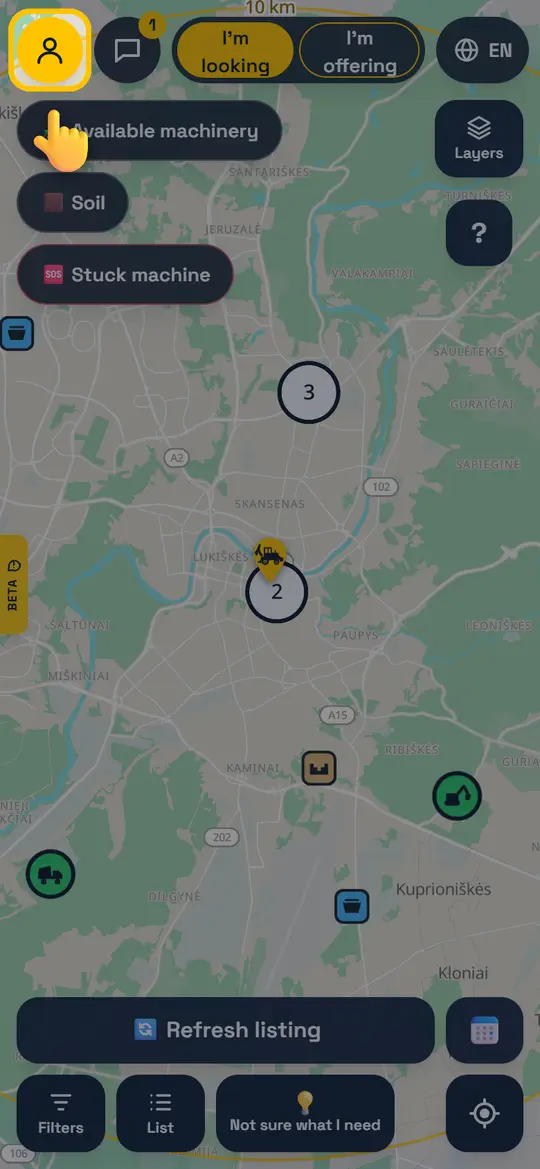
Open your profile
Tap the person icon at the top left. No account yet? Sign up with your phone number or email.
Step 2
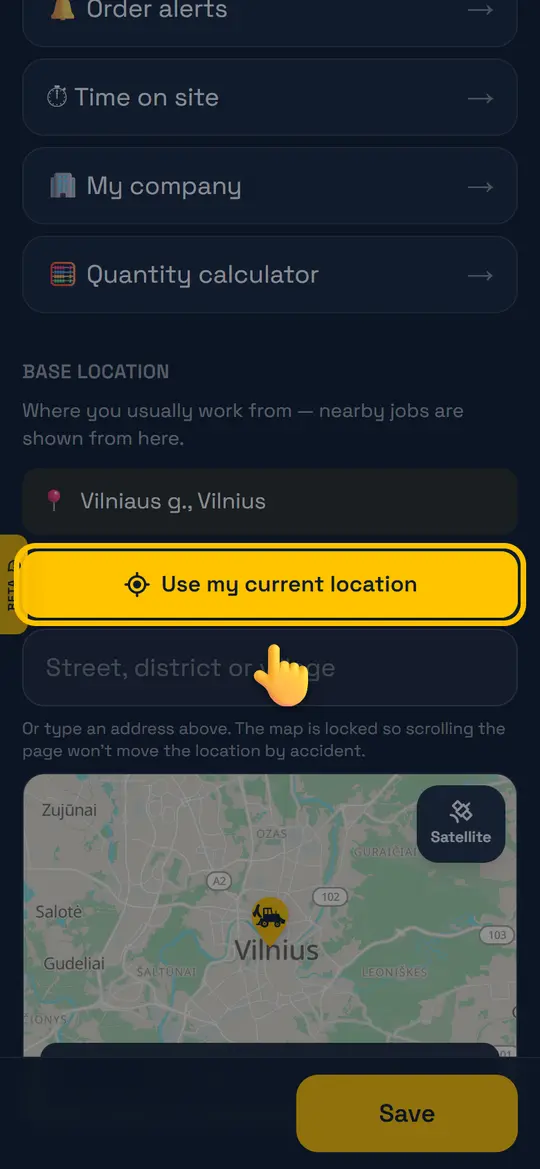
Set where you work from
“Use my current location” or type an address. The nearest jobs are shown from this place.
Step 3
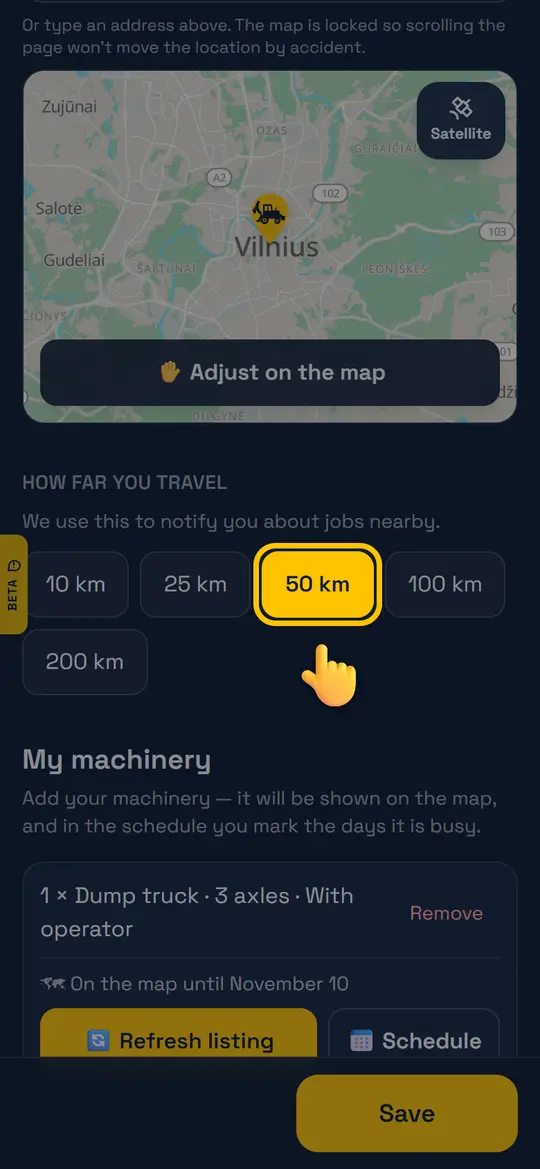
Choose how far you travel
For example 50 km. You will get job alerts only within this radius.
Step 4
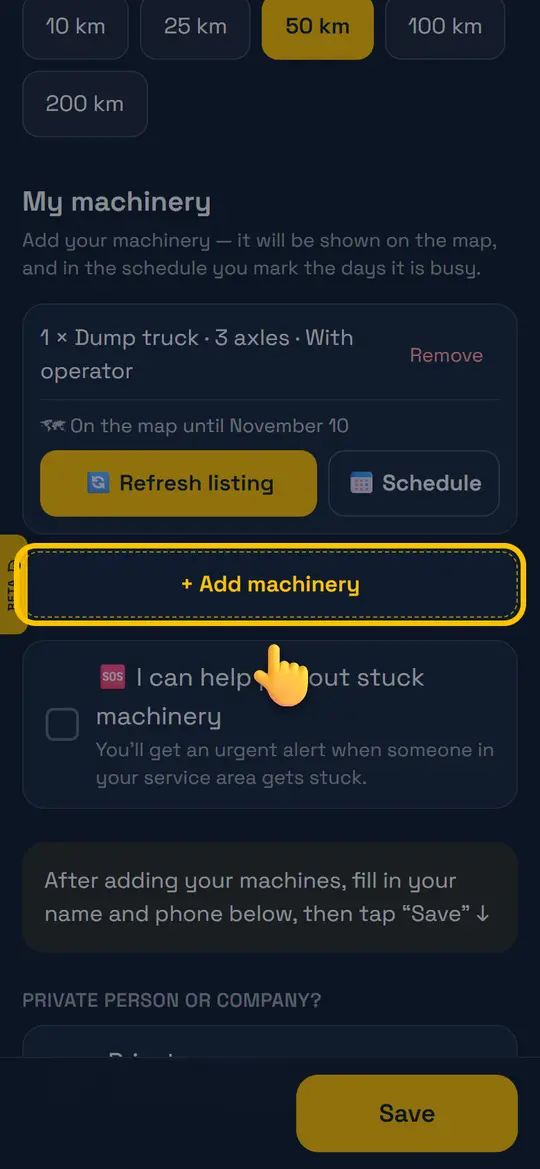
Add your machinery
“+ Add machinery” → type, quantity, axles or capacity, with or without operator. It will appear on the map.
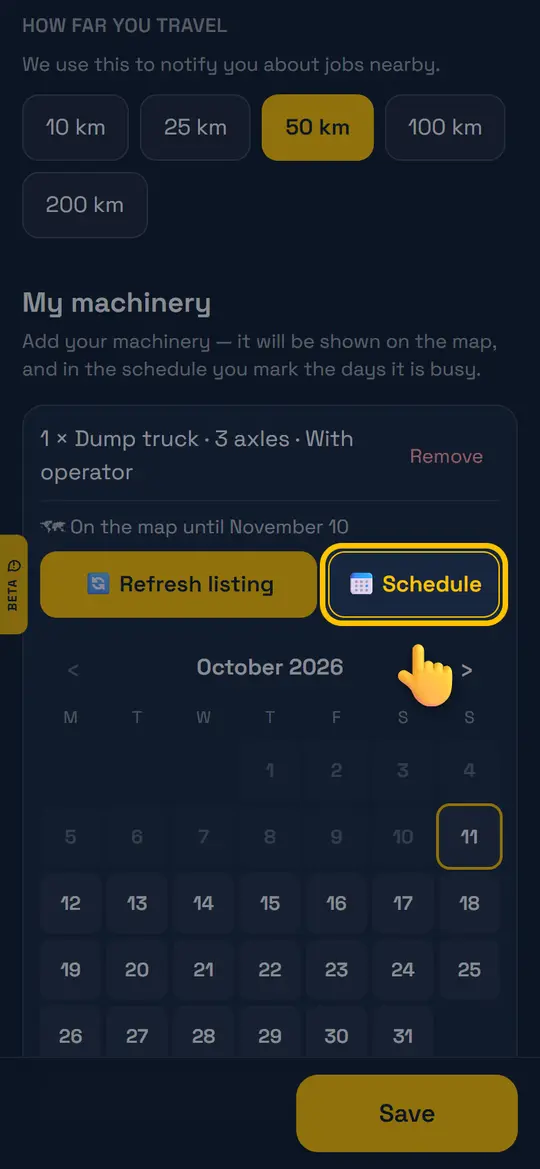
Step 5
Mark the days you are busy
“📅 Schedule” → tap the days your machine is busy. On those days it shows grey on the map, otherwise free.
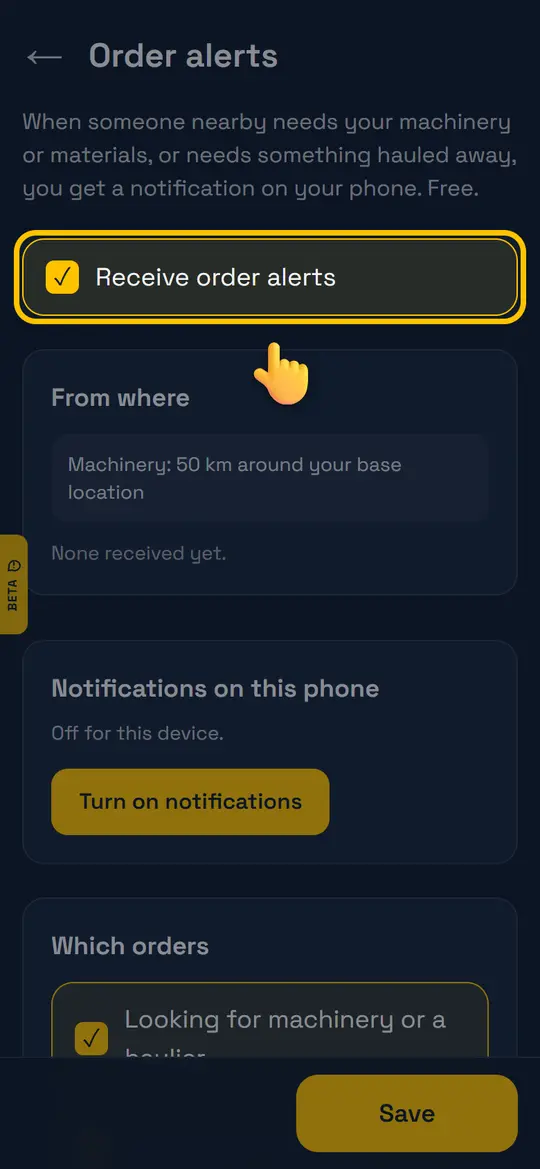
Step 6
Get order alerts
Profile → “🔔 Order alerts”. Allow notifications on your phone to be the first to know about new jobs nearby.
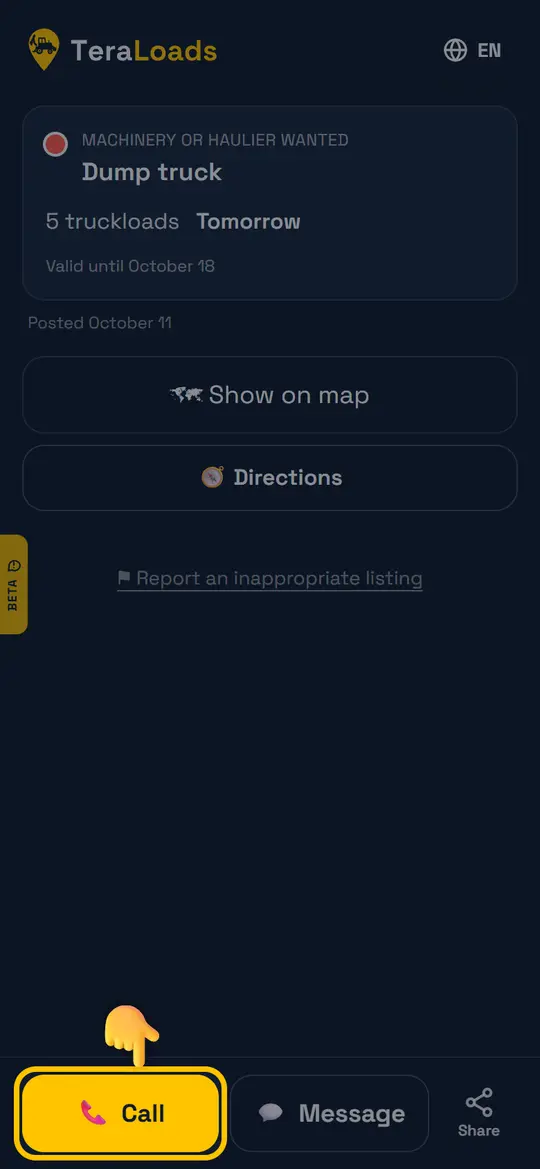
Step 7
Respond to a job
Open the job from the alert or the map → “Call” or “Message”. You agree directly.
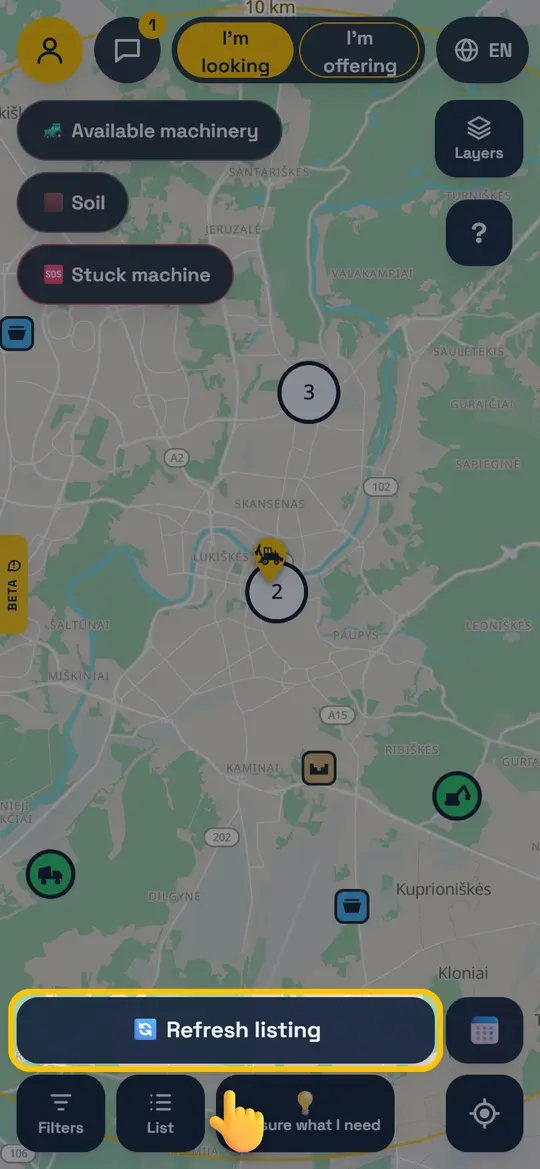
Step 8
Refresh your listing
At the bottom of the home screen — “🔄 Refresh listing”: edit, save and stay visible for 7 more days.
For customers: how to find machinery or materials
Soil, gravel, a dump truck or an excavator — post in 30 seconds and hauliers nearby will contact you.
Step 1
Tap “I'm looking”
At the top of the home screen.
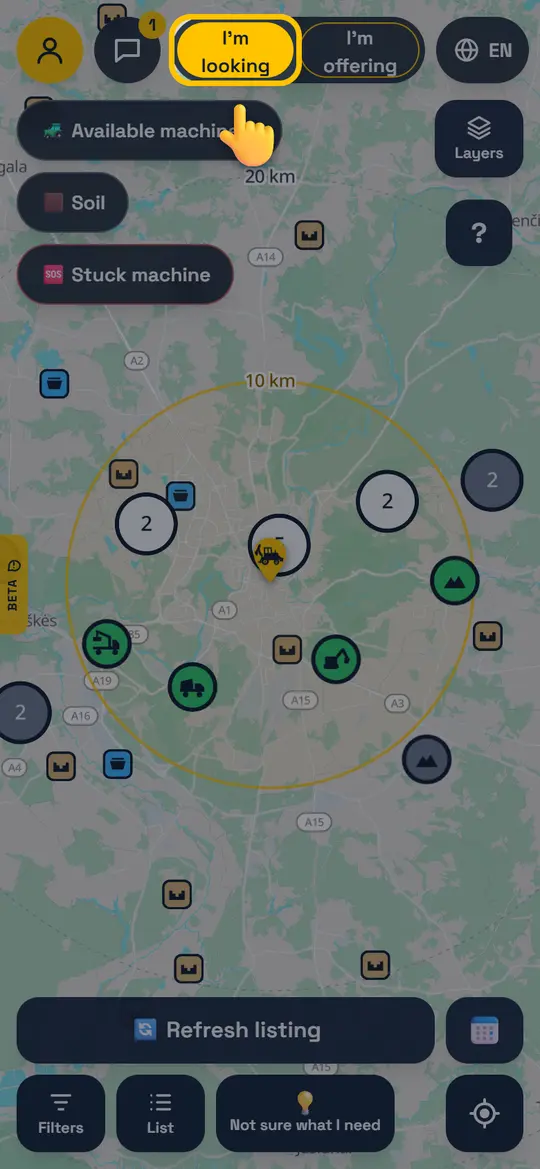
Step 2
Choose what you need
Materials (soil, gravel, crushed stone…), Machinery or Works. Not sure what it is called? Tap ⓘ for a simple explanation.
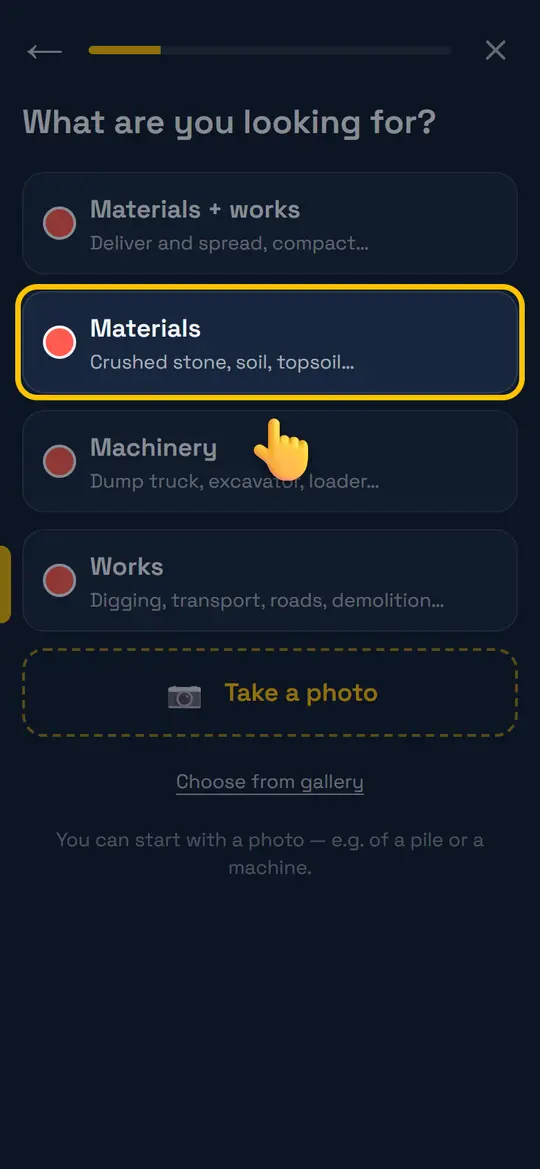
Step 3
Enter what and how much
Pick from the list or type in your own words. Quantity in m³, tonnes or truckloads. Not sure how much? Use the “Quantity calculator”.
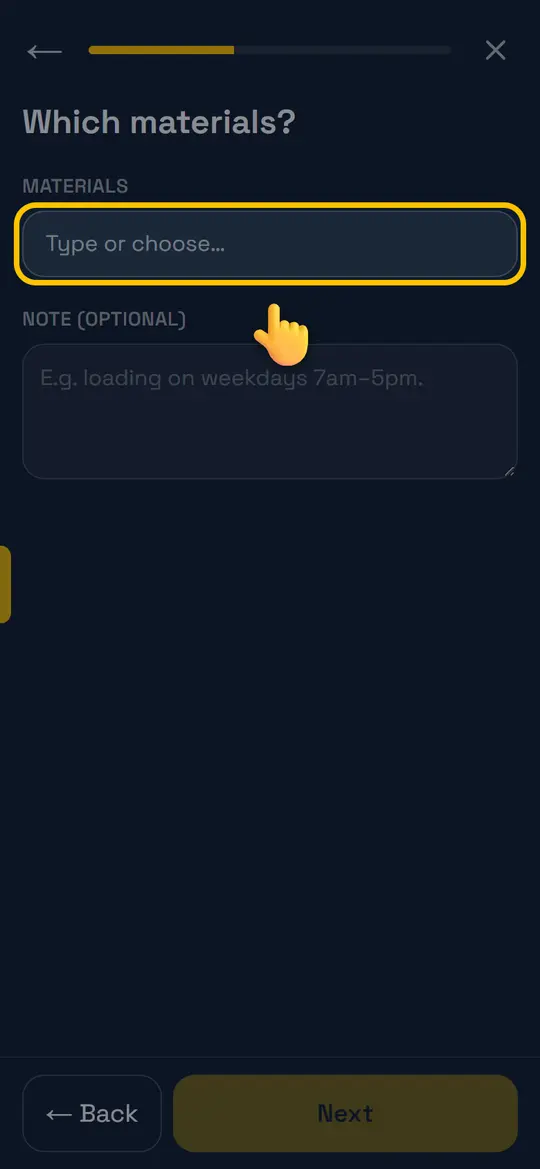
Step 4
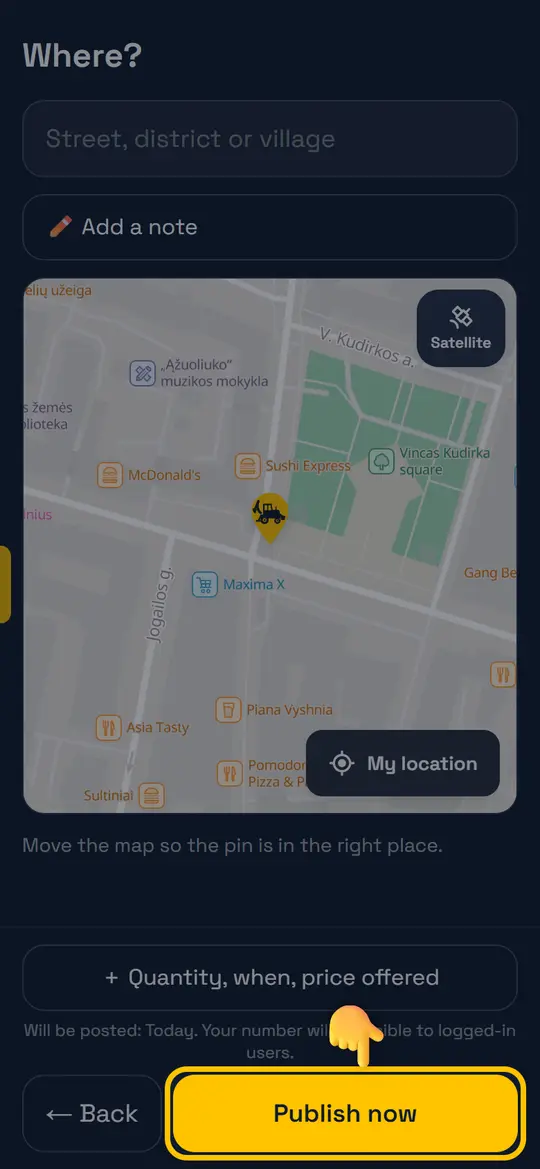
Set the location
“My location” or drag the map so the pin is where the delivery or work is.
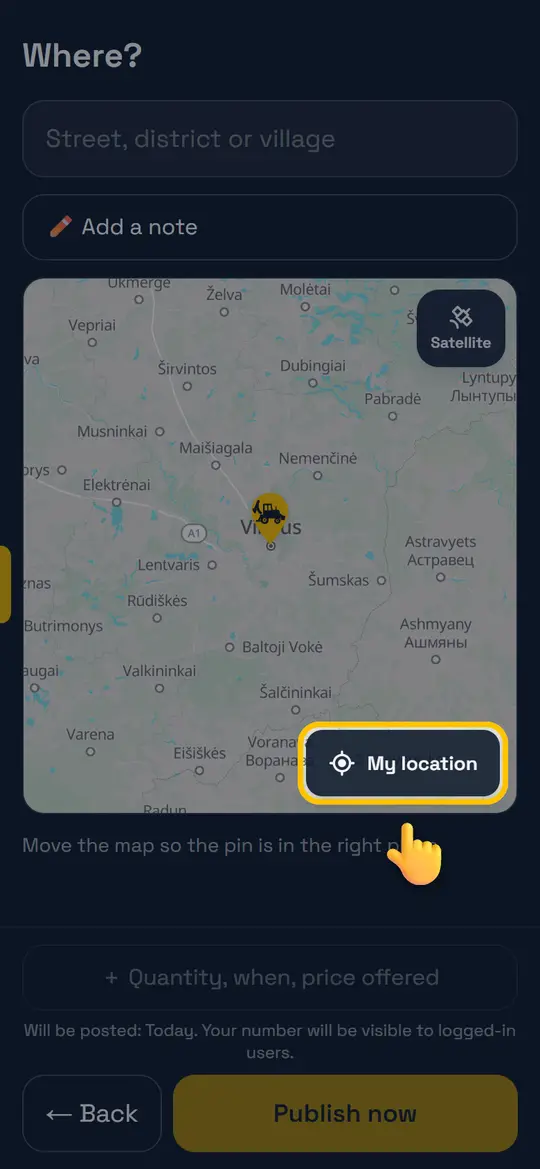
Step 5
Post it
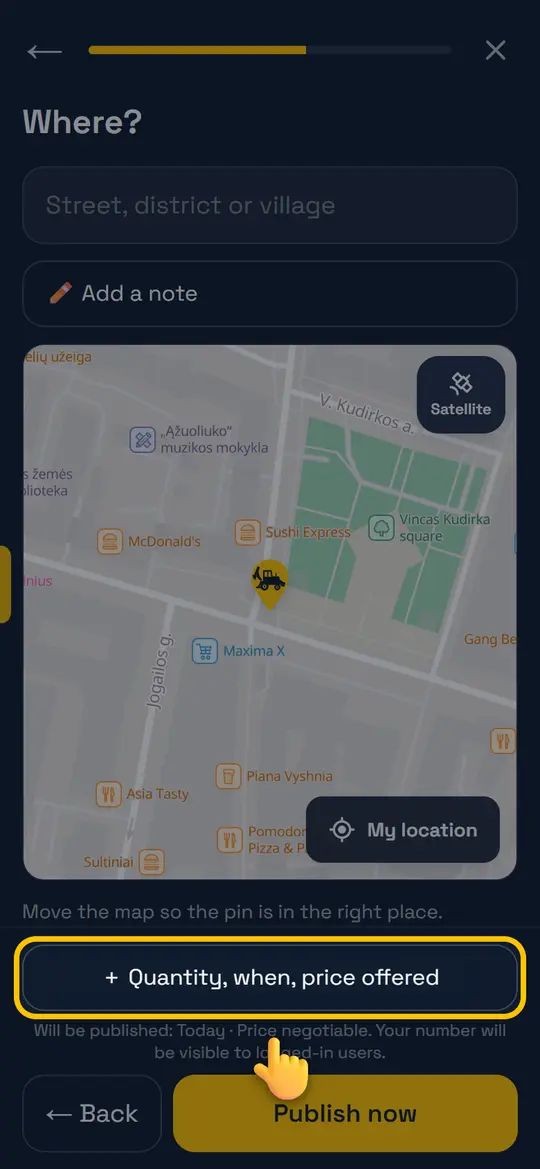
“Publish now”. Hauliers and machinery owners nearby get an alert and will call or message you. To add a date or price — “+ Quantity, when, price offered”.
Step 6
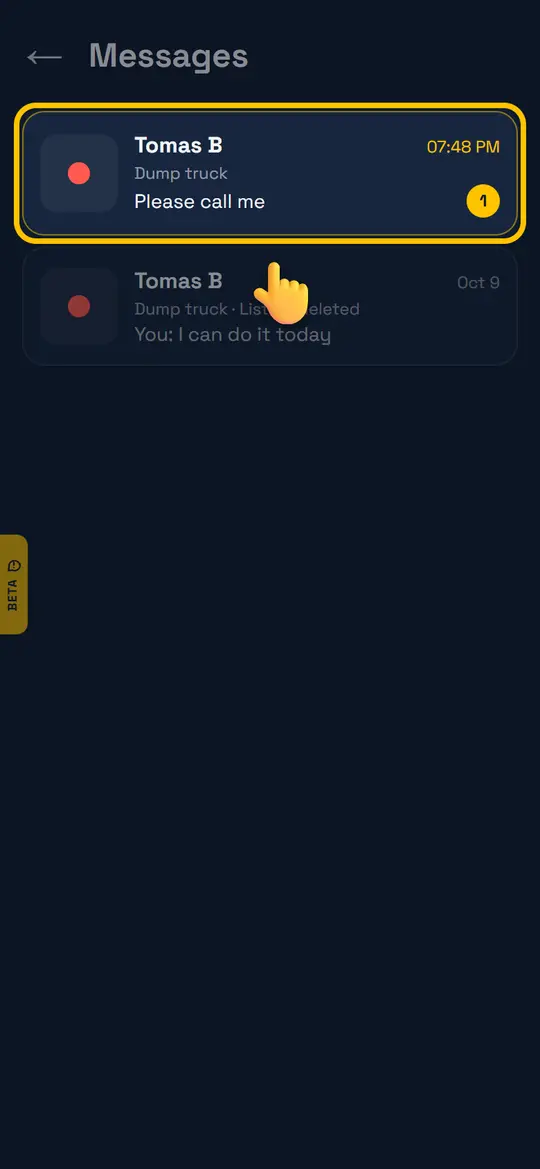
Replies are in Messages
Tap 💬 at the top to see who wrote and reply. You can also find machinery on the map yourself and call.
For suppliers: how to sell or give away materials
Soil, crushed stone, gravel, milled asphalt — show them on the map so buyers and hauliers find you.
Step 1
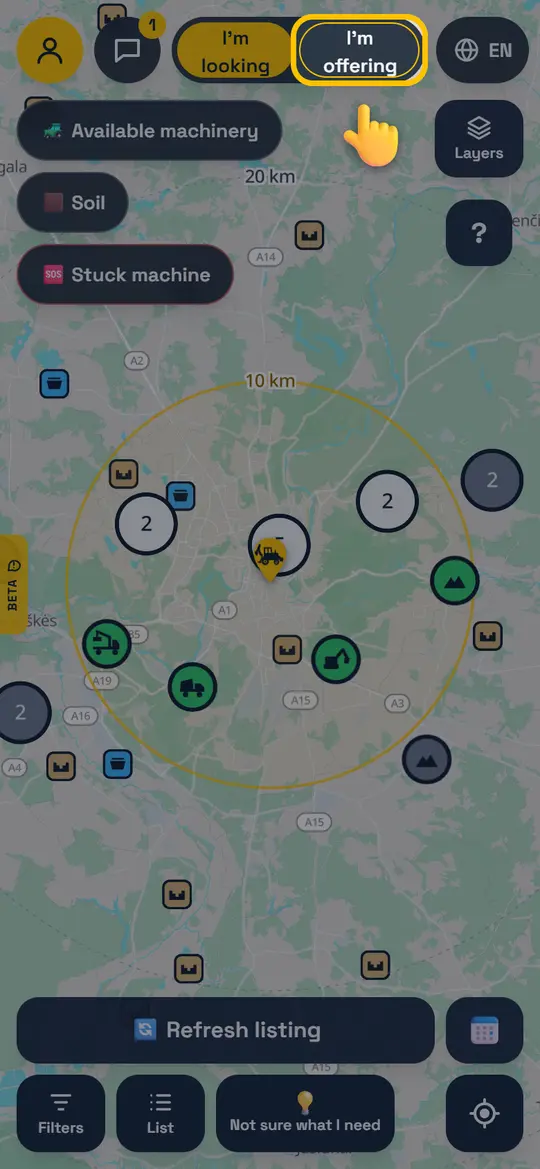
Tap “I'm offering”
At the top of the home screen.
Step 2
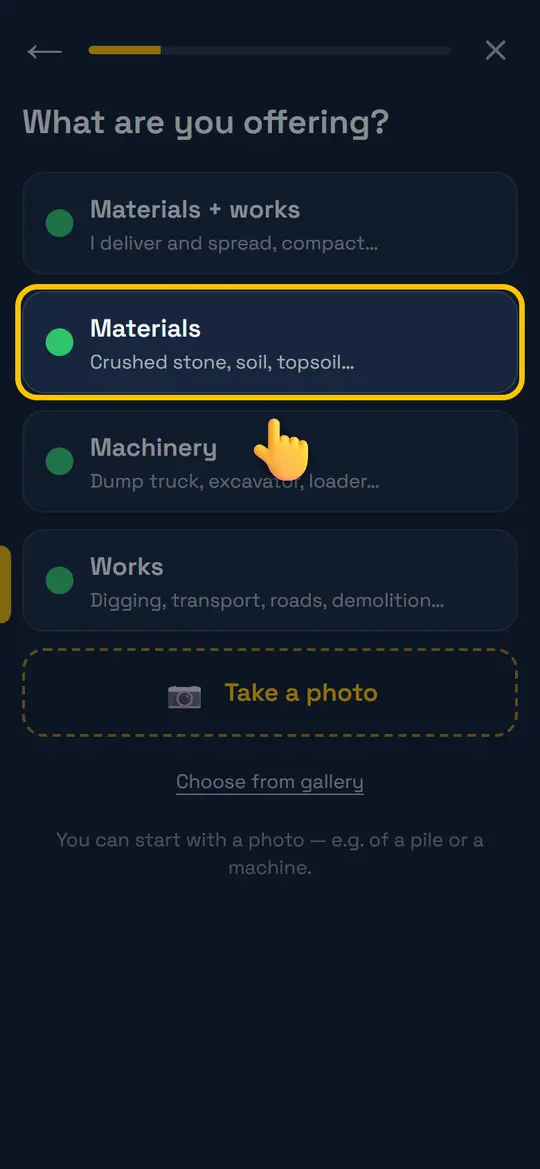
Choose “Materials”
Then enter the material (e.g. gravel 0/45) and the quantity.
Step 3
Location and details
Set where the material is. For price and delivery — “+ Quantity, when, price offered”.
Step 4
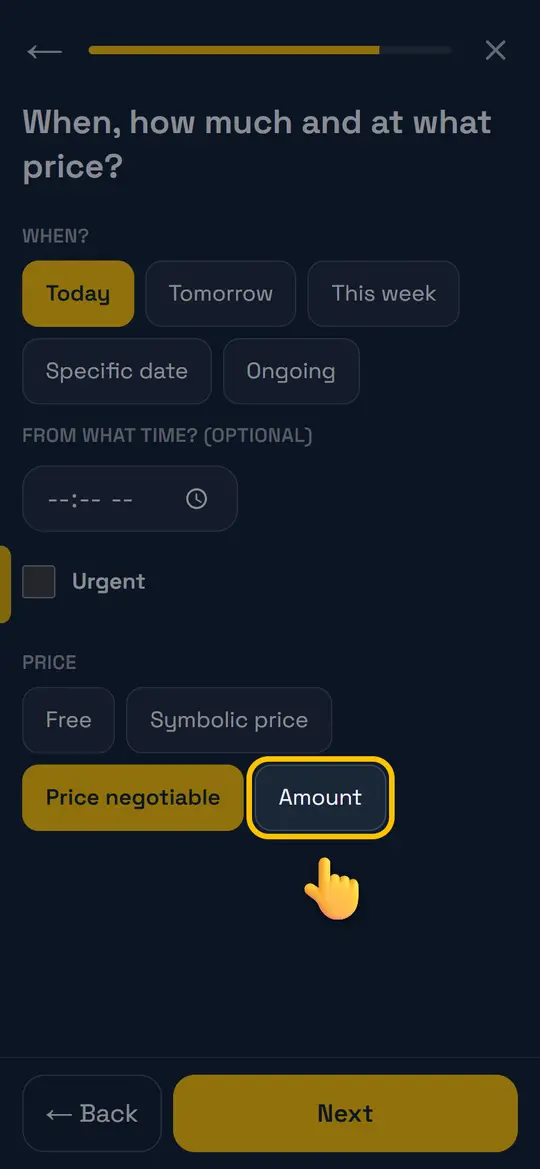
Price and when
Free, symbolic, negotiable or an amount (per m³, tonne or trip), “+ VAT”, and whether you deliver. Then “Next” → “Post”.
Step 5
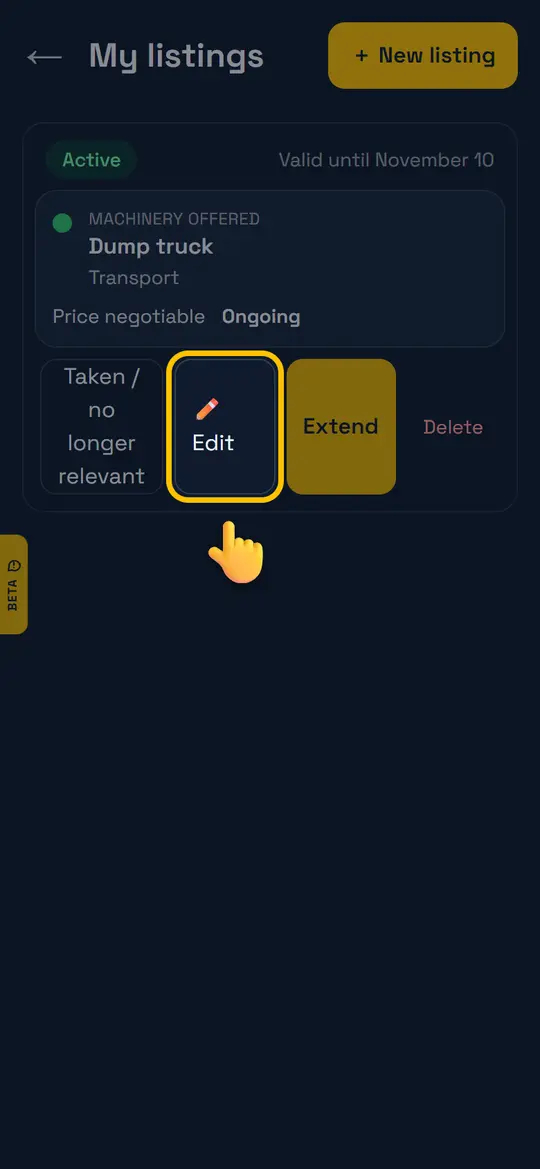
Manage your listings
Profile → “My listings”: “✏️ Edit”, “Extend” or “Taken / no longer relevant”.
Didn't find the answer? Email info@teraloads.com.